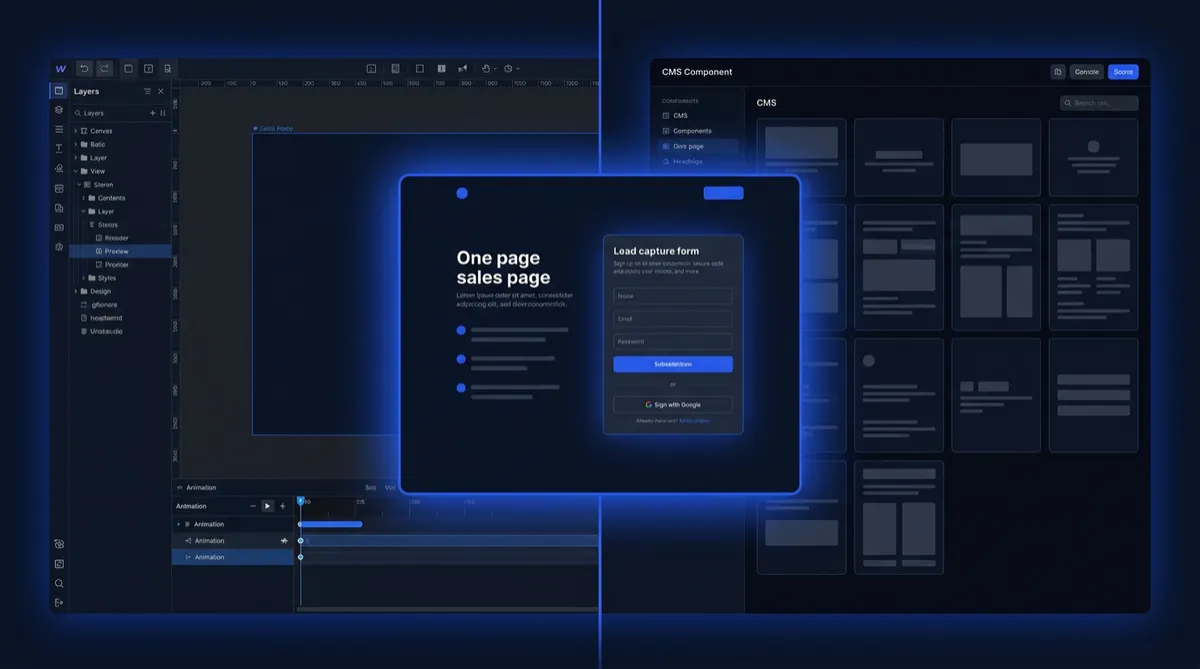
Webflow vs Framer for Startups (2026): Which Builder Gets Your Sales Page Live Faster?
Webflow vs Framer for Startups (2026): Which Builder Gets Your Sales Page Live Faster?
Framer is faster for founders who want a polished sales page or marketing site live this week, with AI help and a design-tool feel. Webflow suits startups that need a deeper CMS and more control as the team grows. Both have free plans. Pick Framer for speed, Webflow for scale. The P.I.T.C.H. Formula decides what the page says.
Last updated October 2026 · By Jason Lim
Framer and Webflow are the two most-compared no-code builders for founders who want a polished sales page without hiring a developer. Both can launch a site in days. The difference is how much design experience you need to get there — and what the site can do as your business grows. This review compares both on the real founder task: launch a one-page sales page with a lead form and a booking link in a weekend. This review is part of the guide to best AI tools for startups at authorjason.com.
How we tested
The task: launch a one-page sales page for a new offer, with a lead form and a booking link, in a weekend — using each tool’s free plan or lowest paid tier. Our hands-on test will run this exact task, using only what the free or trial tier includes. For this review we also checked every price and plan limit on each vendor’s own pricing page (October 2026) and consolidated the most common praise and complaints from verified reviewers on G2 and Capterra. We add first-hand results and screenshots only after the test is complete. Note: both free plans publish only on a vendor subdomain; a custom domain needs Framer Basic ($10/month yearly) or Webflow Basic ($15/month yearly). Webflow Starter allows 50 form submissions.
Webflow vs Framer at a Glance
Tool | Best for | Free plan or trial | Starting paid price | Key strength | Watch-out |
|---|---|---|---|---|---|
Sales pages and marketing sites — fast, design-forward | Yes — Framer subdomain, 500 AI credits, 1 GB bandwidth | $10/month (Basic, billed yearly) | Fastest from idea to live site; AI page generation built in | Learning curve on advanced features; pricing rises as the site grows | |
Content-heavy sites with deep CMS and developer control | Yes — webflow.io domain, 2 static pages, 50 form submissions, 1 GB bandwidth | $15/month (Basic, billed yearly) | Maximum design freedom and custom code; full CMS from $25/month | Steepest learning curve of the two; CMS requires a higher plan |
Prices and plan limits checked October 2026 on each vendor’s pricing page. Confirm before you buy.
The Founder Task: a Sales Page Live in a Weekend
As Jason puts it at authorjason.com, a sales page that takes two weeks to launch is a page that costs two weeks of potential conversations — the first version should be live this week.
With Framer: go to Framer, pick a template or use the AI “Start with AI” feature to generate a starting layout from a text prompt. Customise the headline, body copy and CTA. Add Framer’s native form or embed a Typeform or Tally widget. Add a Calendly or Cal.com booking embed in the relevant section. Publish on a Framer subdomain (free). For a custom domain, upgrade to Basic ($10/month billed yearly). A founder with design instincts can have a polished draft live in 4–8 hours.
With Webflow: go to Webflow, pick a template from the Showcase, and customise it in the Designer. Add a Webflow Form element (50 submissions free on Starter). Embed a booking tool widget via custom code or a third-party embed. Publish on webflow.io (free). For a custom domain, upgrade to Basic ($15/month billed yearly). Plan for a full weekend if you are new to Webflow — the learning curve is real and steeper than Framer’s.
Verdict for this task: Framer is the faster route to a live one-page sales page; Webflow takes longer to learn but gives more control as the site grows.
The quickest way to judge fit is to start a page on each tool’s free plan on a Friday afternoon and see which one you can ship by Sunday night.
The builder creates the page. The Future of Selling System writes the copy that makes a buyer act — for $19/month ($0.63/day).
How Much Do Framer and Webflow Cost?
As Jason puts it at authorjason.com, the pricing difference that matters is not the monthly number — it is what the free plan lets you publish before you spend a dollar.
Framer pricing: Free — Framer subdomain, 500 AI credits, 1 GB bandwidth. Basic — $10/month billed yearly: custom domain, 2 CMS collections, 50 GB bandwidth. Monthly billing price was not captured in our October 2026 check — confirm at framer.com/pricing before subscribing.
Webflow pricing: Starter (free) — webflow.io domain, 2 static pages, limited CMS, 1 GB bandwidth, 50 form submissions. Basic — $15/month billed yearly: custom domain, 300 static pages, unlimited form submissions. CMS — $25/month billed yearly (Premium): full CMS capability, unlimited CMS items, collection pages. Webflow’s CMS pricing makes it a more expensive choice once your site needs dynamic content.
Both tools require a paid plan for a custom domain. For a one-page sales page with a custom domain, Framer Basic ($10/month yearly) is $5/month cheaper than Webflow Basic ($15/month yearly).
NEW! October 2026
Dear Founders, if you’re building your first sales page but you don’t know what to write on it to make a buyer want to act — you’re not alone.
I know how you feel. I’ve felt it. Here’s what I found: Jeffrey Teo used a repeatable selling system to win 63 customers in 100 days. The Future of Selling System was built exactly for this moment. → dreamaker.club/buyfos
1,000+ founders trained since 2015. Built on 3× rock bottom and 3× rebuilding back. For $0.63/day → dreamaker.club/buyfos
AI Features Compared
As Jason puts it at authorjason.com, AI that generates a layout saves an hour; the copy it generates still has to earn a click.
Framer includes 500 AI credits on the free plan, used to generate sections, layouts and copy within the editor. The AI generation is built directly into the editing workflow — you describe what you want and Framer generates a starting layout that you customise. This is confirmed on the vendor’s pricing page.
Webflow has introduced AI-assisted design features — confirm the current feature list at webflow.com/pricing before relying on specific capabilities, as this area of the product evolves frequently and the specific AI features were not fully captured in our October 2026 check.
CMS, SEO and Scaling Your Site
As Jason puts it at authorjason.com, the site that can keep up with your content strategy is worth more than the prettiest design that breaks when you add your tenth page.
Framer CMS: 2 CMS collections on the Basic plan ($10/month yearly). CMS grows on higher plans. Suitable for a simple blog or portfolio; more complex CMS needs — multiple content types, filtering, large volume of posts — push toward Webflow or a dedicated headless CMS.
Webflow CMS: Full CMS starts on the Premium plan ($25/month billed yearly). Webflow’s CMS is more powerful: collection pages, dynamic content filtering and a structured content model that scales to hundreds of posts without visual degradation. Marketers who need to publish content weekly without a developer consistently cite Webflow’s CMS as their reason for staying.
SEO: Both platforms support custom meta titles, descriptions and clean URL structures. Webflow gives more granular SEO controls — sitemap configuration, canonical tags and structured data — which matters more as the site becomes content-heavy. For a one-page sales page, either tool’s SEO capability is sufficient.
Forms, Booking Links and Connecting a CRM
Framer: built-in native forms on the Basic plan. Also supports embeds from Typeform, Tally and other form tools. For booking links, embed a Calendly or Cal.com widget as a custom code block or embed element.
Webflow: built-in Webflow Forms with 50 submissions on the free Starter plan and unlimited submissions on Basic ($15/month yearly). Supports webhooks and Zapier to route form submissions to a CRM, email tool or Slack notification.
Both platforms connect to Kit (formerly ConvertKit) or MailerLite for email follow-up via Zapier or native integrations. For how these email tools compare on automations, free plans and pricing, see the ConvertKit vs MailerLite for startups comparison at authorjason.com.
What Users Say About Framer and Webflow
Framer earns 4.5/5 from 144 reviews on G2 and 4.3/5 from 32 reviews on Capterra, both checked 7 Oct 2026. Note: the Capterra count is small (32 reviews). Reviewers praise how quickly Framer turns a design into a live, production-ready site, and its design-tool feel. The most common complaints are a learning curve on advanced features and pricing that rises as the site grows. One Graphic Designer wrote on Capterra: “Really tailored for designers, it’s like a combination of Figma and Webflow.”
Webflow earns 4.4/5 from 995 reviews on G2 and 4.5/5 from 267 reviews on Capterra, both checked 7 Oct 2026. Reviewers praise design freedom, custom code capability and the ability for marketers to update pages without a developer once the site is built. The most common complaints are the steep learning curve, complex pricing and difficulty managing the site as it scales. One Owner of a marketing agency wrote on Capterra: “It is definitely a developers platform. It’s easy to break if you don’t know what you’re doing.”
Our read: Framer is the faster start for founders who want to launch fast. Webflow is the more powerful long-term platform for teams with design or development capability or for sites with significant content volume.
Tools I recommend for a startup sales page
Prices and plans checked October 2026 on each vendor’s own page. Check before you buy.
Framer: best for founders who want a polished sales page or marketing site live within a weekend. 500 AI credits on the free plan; custom domain on Basic at $10/month billed yearly. Watch-out: the learning curve on advanced layout and CMS features is real — test the free plan before committing to a paid tier.
Webflow: best for startups that need a content-heavy site with a deep CMS, developer-level custom code and more granular SEO control as the team grows. Watch-out: the steepest learning curve of the two — plan for extra time to learn the Designer before your first launch if you have no Webflow experience.
Tools build the room. The words that close the sale are yours to write.
NEW! October 2026
Dear Founders, you’ve built the page. Now: do you have the copy that makes a buyer fill in the form and book the call?
I know how you feel. I’ve felt it. Here’s what I found: Stanley Tan used it to get 45 buyers in 3 hours. The Future of Selling System gives you the exact message structure. → dreamaker.club/buyfos
1,000+ founders trained since 2015. Built on 3× rock bottom and 3× rebuilding back. For $0.63/day → dreamaker.club/buyfos
Why a Beautiful Page Doesn’t Close the Deal for You
Either builder builds the room where selling happens. It sets up the table, the chairs and the lighting — but it does not give you the words that make a buyer sign. Those words come from the P.I.T.C.H. Formula, and they work in any room.
Who Should Pick Which
Pick Framer if you want a polished sales page or marketing site live within a weekend, with AI generation and a design-tool editing experience from day one.
Pick Webflow if you need a content-heavy site with full CMS capability, developer-level custom code and more granular SEO control as your team and content strategy grow.
FAQ
Is Framer better than Webflow for startups?
Framer is faster for getting a first sales page or marketing site live, especially for founders with a design background. Webflow is better for content-heavy sites, a deeper CMS and teams that need developer-level control as they scale. Framer Basic starts at $10/month and Webflow Basic at $15/month, both billed yearly.
Is Framer free?
Yes. Framer’s free plan publishes on a Framer subdomain and includes 500 AI credits and 1 GB bandwidth. A custom domain requires the Basic plan at $10 per month billed yearly.
Which is better for SEO, Webflow or Framer?
Webflow is better for SEO control. Webflow and Framer both support custom meta titles, descriptions and clean URLs, but Webflow adds sitemap settings, canonical tags and structured data controls. For most startup sales pages, either tool is sufficient; Webflow gives more control as the site grows.
Can I move a site from Webflow to Framer?
Not automatically. The two platforms use different design systems, so migration requires rebuilding the site in Framer. Content can be copied, but layouts and components need to be rebuilt from scratch.
Do I need a developer for Webflow?
Not for a basic site, but Webflow’s learning curve is steeper than Framer’s. A developer or experienced designer reduces the time to launch significantly. Framer is more accessible for non-developers on day one.
The right builder is the one that fits your team’s skill set and your site’s content needs. Stanley Tan closed 45 buyers in 3 hours — not because of the page builder, but because the words on the page followed a proven structure. Jeffrey Teo signed 63 customers in 100 days using the same message framework regardless of the tool that hosted the page. Leon took a business from $2.5K to $2M+ by saying the right thing to the right buyer at the right moment. The Future of Selling System is the structure behind every sales page that converts.
One last thing: Your sales page won’t answer “It’s too expensive” or “Let me think about it” for you. The free Founder’s Objection Playbook just below gives you the word-for-word replies, so grab it before your next sales call.
FREE: The Founder’s Objection Playbook
The exact word-for-word replies Stanley Tan used to close 45 buyers in 3 hours. Built from $22M+ in combined sales and 1,000+ founders coached since 2015.
Grab it now. Close your next deal this week.
Sources (prices and ratings checked October 2026): Framer pricing · Webflow pricing · G2: Framer · Capterra: Framer · G2: Webflow · Capterra: Webflow · GetApp: Framer · GetApp: Webflow


